Why is your Mac doing this?
Macometer answers in one sentence, then shows you the proof. A native activity monitor for your Mac's menu bar, with one payment and no subscription.
Firefox has used most of your CPU for 8 minutes.
51% of your Mac's CPU, about 3 times its usual. The CPU is at 69°C.
Firefox has used most of your CPU for 8 minutes.
51% of your Mac's CPU, about 3 times its usual. The CPU is at 69°C.
The Inspector, Settings and the full tables need a wider window.
At 5:32 AM
Every reading below shows that moment. Move across any of them. That is how the whole app works, on every page, up to a year back.
Simulated here. In the app, history stays on your Mac for 90 days unless you choose 30 days, 6 months or a year. How the timeline works
It lives in the menu bar.
Look for a small moving line with a percentage beside it. The window is optional. The panel gives you the verdict, four readings and the top apps without opening anything else.
You can add separate items for Memory, GPU, Network, Temperature, Power and Battery. When something is high, the summary swaps to it. Try "Everything stutters" above, and this one reads MEM.
Simulated data, not your Mac.
2 agents are waiting for you
If you run Claude Code, Codex, opencode, Gemini, Aider or Cursor's agent, Macometer knows which of them owns each process and port. It tells you when one needs you, on a quiet line under the verdict that starts with "Also:".
It also finds what they left behind. A dev server that outlived the agent that started it says who left it and where, and you can stop it from here. It asks first, unless you've turned on stopping idle servers without asking.
These agents are simulated. More about Dev and agents
| Working on | State | For | Memory |
|---|---|---|---|
| Migrate billing tablesClaude Code in ledger | Waiting | 40 minutes | 289 MB |
| Add retry to the webhook senderCodex in storefront | Waiting | 14 minutes | 135 MB |
| Fix login redirectClaude Code in storefront | Working | 1 minute | 355 MB |
| Write parser testsCodex in parser | Idle | 2 hours | 168 MB |
Stop node?
node on ports 3000 and 9229, left by Claude Code in storefront. It gets 5 seconds to finish, then it's forced to stop.
node stopped. Port 3000 is free again, and nothing else was touched.
% macometer agents
AGENT        STATE    FOR         PROJECT      CPU  MEMORY   PID  TITLE
Claude Code  waiting  40 minutes  ledger      0.6%  289 MB  7002  Migrate billing tables
Codex        waiting  14 minutes  storefront  0.4%  135 MB  7004  Add retry to the webhook sender
Claude Code  working  1 minute    storefront   29%  355 MB  7001  Fix login redirect
Codex        idle     2 hours     parser      1.4%  168 MB  7003  Write parser tests
Not available on this Mac
You will see that sentence a lot, and we are oddly proud of it. If a Mac doesn't report something, Macometer says so. It never draws a zero, and it never shows an old number as if it were new. CPU and memory watts come and go with the Mac and the macOS version, and Neural Engine watts have been blank on every Mac tried so far.
| Battery | 82% | Plugged in, 93% of its original capacity |
|---|---|---|
| Fans | 2,140RPM | Two fans, under half their top speed |
| CPU temperature | 62°C | Read from the chip |
| System power | 18W | What the Mac reports as a whole |
| Neural Engine | 4% | Load, from the chip's own counters |
| Neural Engine watts | Not available on this Mac | macOS leaves this blank here, so we do too |
Quit Firefox?
Quitting or stopping something raises this question in the app, and waits for you. That holds for you, for the command line, and for any AI assistant you connect to it. No flag skips it. The one exception is yours to make: a switch in Settings, off by default, stops idle servers an agent left behind.
% macometer quit Firefox
Quit Firefox?
Firefox has open windows. Unsaved work in them could be lost. Firefox may ask you to save your work first.
What it costs your Mac
A monitor has to be lighter than what it measures, so here is what we measured, with the caveats left in. Measured on an M4 Pro Mac mini. The app's Settings shows the same figures live, for your Mac.
The installed app. The window may not have been visible during that run, so drawing cost could be higher.
The engine alone. Our budget is 0.3%, so this is over it. It's on the list.
| Reading | Macometer | Tool |
|---|---|---|
| CPU | 35.6% | 35.5% top |
| Disk | 52.7 MB/s | 51.0 MB/s iostat |
| Download | 17.3 KB/s | 16.1 KB/s netstat |
| Upload | 11.5 KB/s | 10.1 KB/s netstat |
| Temperature, power | No unprivileged tool to compare with | |
Everything runs on this Mac.
No account and no analytics. The only network calls are activating your license, checking for updates, and what you ask for.
Find an app, process, port or page
This is ⌘K in the app. Here it finds the rest of this site, so you can read about the parts you care about. Try "power", "port" or "refund".
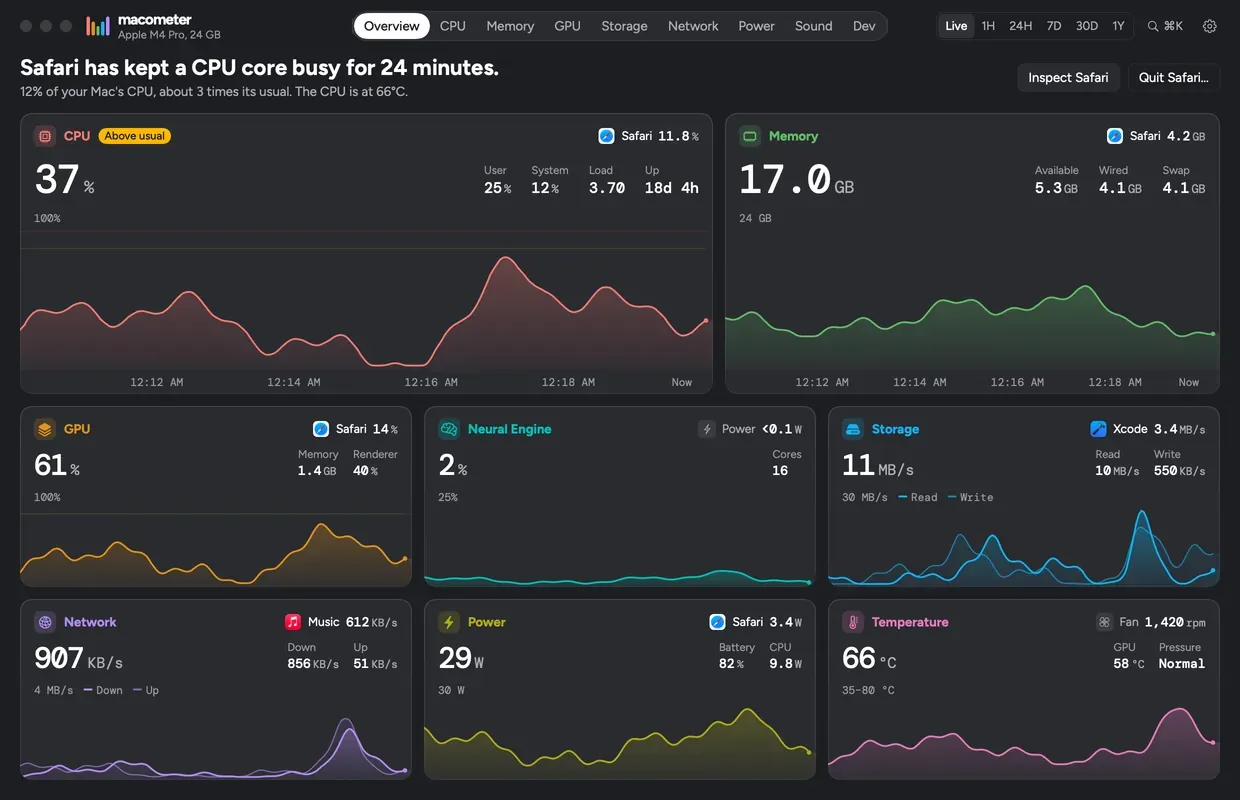
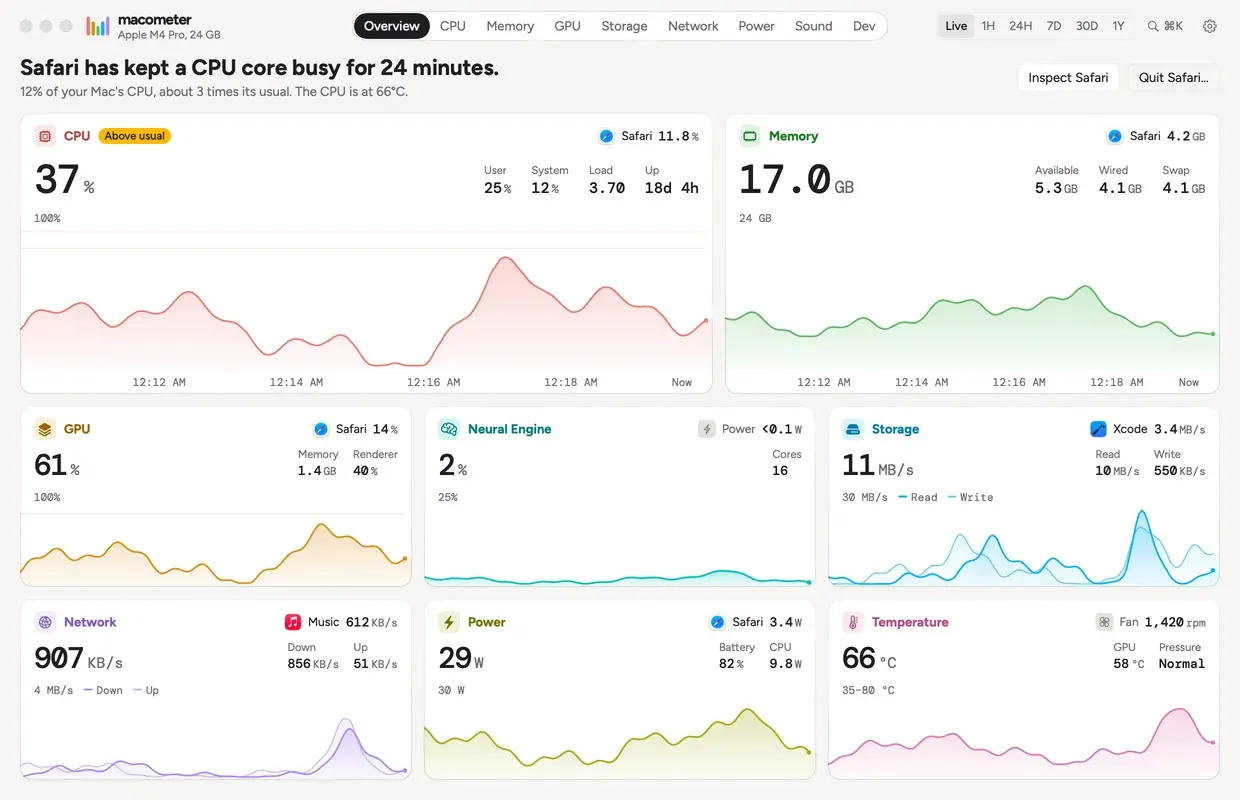
The real window.
Everything else on this page is rebuilt in your browser. This image is the app itself, drawing its own window from sample data. The numbers aren't from a real Mac, but the window is the one you'd get.
Your Mac is running comfortably.
That's the sentence you want to see, and most days it's the one you will. Everything else on this page is for the other days.
- One payment, no subscription.
- Works on up to 3 of your Macs.
- 30-day refund, no reason needed.
- macOS 15 or later, tested on macOS 27 so far.